A team's players
A team's page is opened from its name, or its View, on the Teams tab. It is headed by the team's name with its short name in brackets, and its flag, so that a manager who came to the wrong team sees so at once. It has one thing to show, the team's players, so the list is the page.
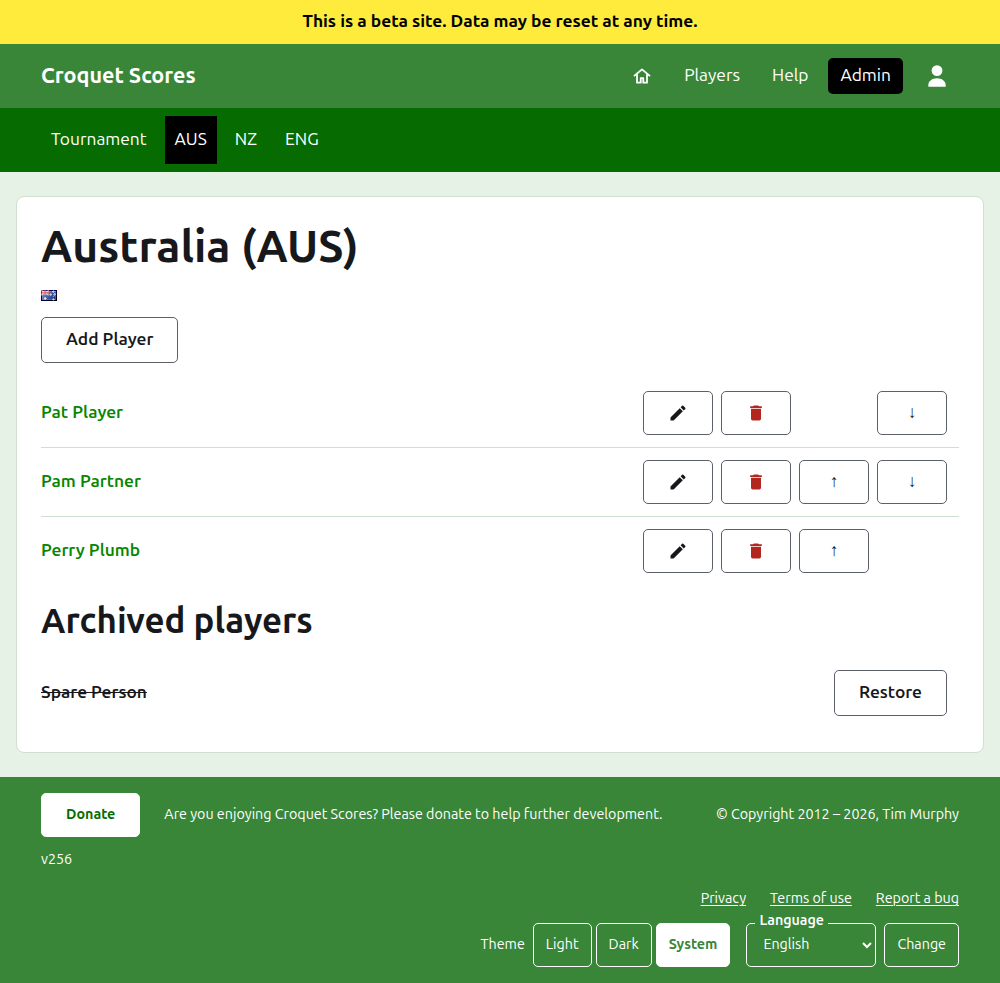
The dark green bar on a team's page leads to the tournament and to each team in use by its short name, so that the players are entered team by team without going back to the Teams tab.
A player in a team belongs to that team alone, represents the team, and flies the team's flag rather than one of their own. The same person playing for two teams, or in two tournaments, is a player in each.
Adding a player
Press Add Player, above the list. A dialog opens over the page.
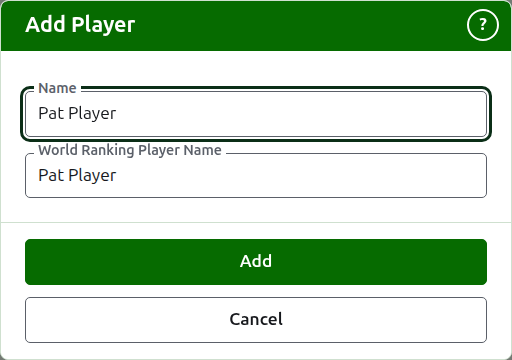
Name is required, between 3 and 254 characters. Two players in one team cannot have the same name, however it is capitalised; a player in another team may share it.
World Ranking Player Name is the name the world rankings know the player by. It is asked for only in a tournament of Association Croquet or Golf Croquet, the two sports whose players the world rankings keep a list of. American 6 Wicket's players are known to the rankings by their own names, so it is not asked for there, and each player's world ranking name is always their name. While you add a player it follows the name as you type it, and stops following once you type in it. Left empty, it is kept as the player's name. As you type, the players the world rankings know whose names begin that way are offered, and beside the world ranking name a tick says the rankings know the name and a question mark says they do not. It is only advice: a name the rankings do not know is kept as readily as one they do.
A player is never called "Bye": a name that is "Bye", or "Bye" with a number, as "Bye 2", "Bye-2" or "Bye (2)", is refused. A name that only begins with the word, as "Bye / Bassett" does, is a person's.
Press Add. The player is added, the dialog says so, and its fields are emptied for the next, with the cursor back in the name. Add the whole team this way, then press Cancel to close the dialog.
Correcting a player
Press a player's name, or their Edit, to open the same dialog on that player, titled Edit Player. Press Save to keep the change. A player whose name is corrected keeps the world ranking name they had, except in American 6 Wicket, where a player's world ranking name is always their name.
Order
The players are listed in the team's order, which is the order they are offered in when a test's score is entered. Up and Down move a player one place within the team.
Archiving a player
Archive sets a player aside: entered by mistake, or no longer with the team. An archived player is listed under Archived players, struck through, after the players in use, and offers only Restore. Archiving never asks first, since a player in a team is entered in nothing else and restoring them puts everything back.
A player who has played any game in use in a test cannot be archived, since the games would then be against somebody who is no longer there, so such a player is not offered Archive. A player whose only games are archived can be.
Next: Tests.